> ## Documentation Index
> Fetch the complete documentation index at: https://q3-56b48e0c-brove-doc.mintlify.site/llms.txt
> Use this file to discover all available pages before exploring further.
# One Click
> One-Click in Brove offers a **streamlined Web3 experience**, combining all BTCFi strategies into just **two simple steps**: deposit and withdraw. Users can send BTC directly to any Starknet strategy and withdraw their assets seamlessly, converting wBTC back to BTC through integrated bridges. This service unifies vaults, farming, loans, swaps, and options into a single, secure, and user-friendly workflow, making decentralized Bitcoin finance on Starknet as simple as two clicks.
## ⚡ One-Click
The ₿rove Experience brings Web2 simplicity: the **One-Click service** unifies everything above into just **2 steps**:
* **Deposit**: Send BTC directly to your chosen strategy on Starknet.
* **Withdraw**: Exit from your Starknet strategy send wBTC and received BTC in Bitcoin.
**Summary Process:**
1. Select a strategy (e.g., Withdraw in Farming → Vesu Genesis Pool).
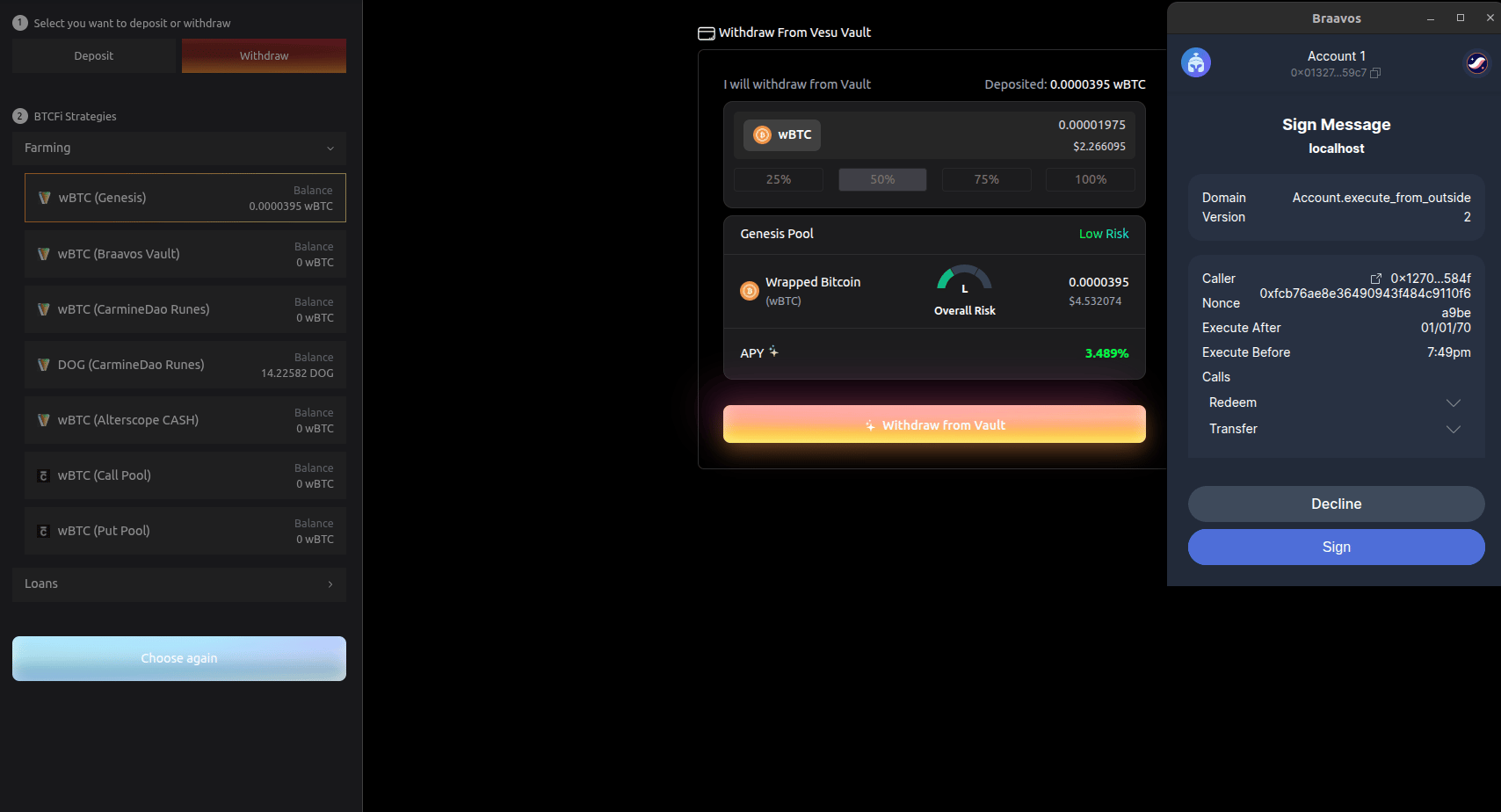
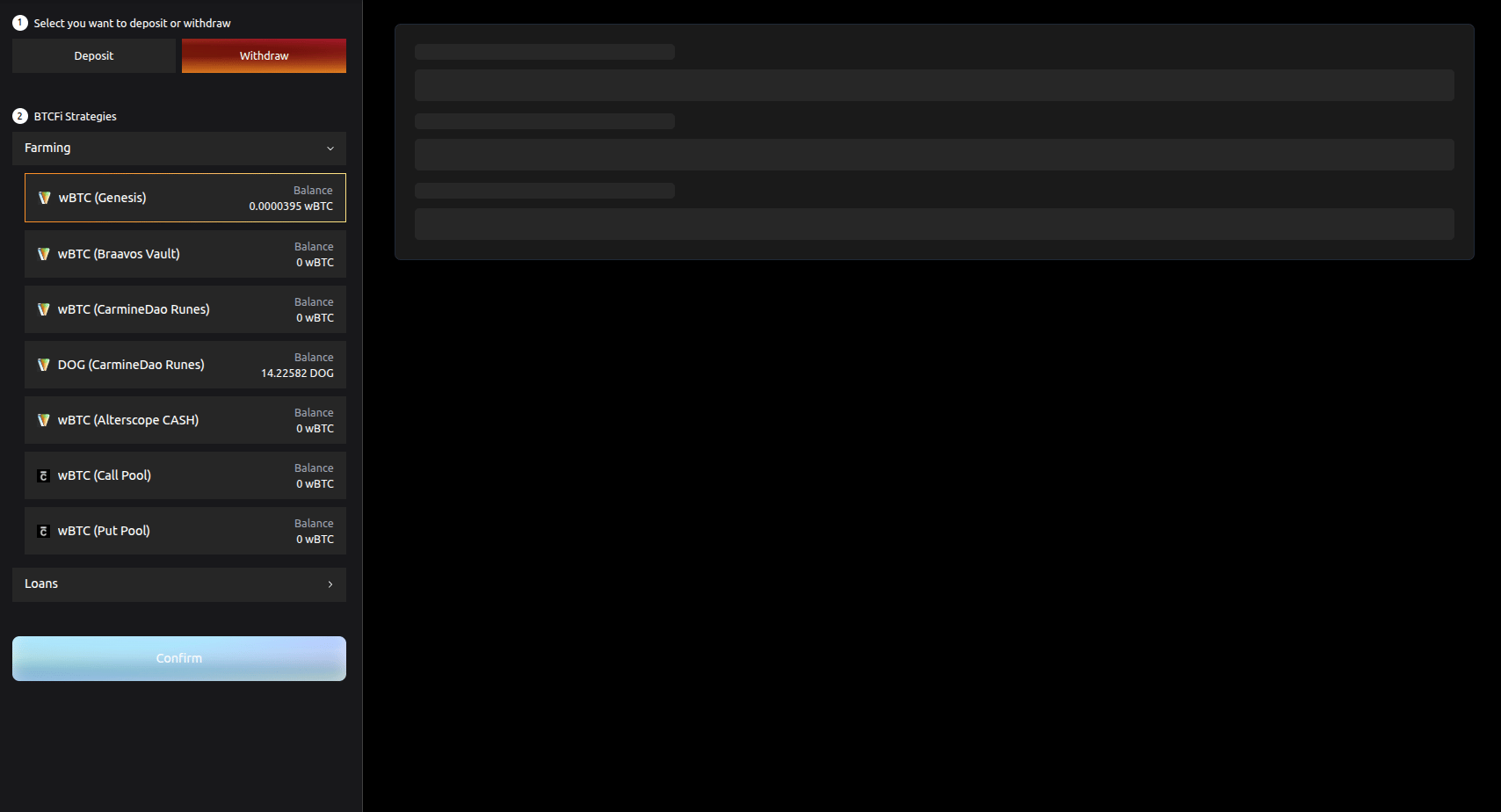 2. Choose the amount to withdraw from your assets in click **`Withdraw from Vault`** and sign the transaction to pay with **wBTC** using the paymaster.
 3. Once your withdrawal is confirmed, you will see **Payment Success** and the transaction hash.
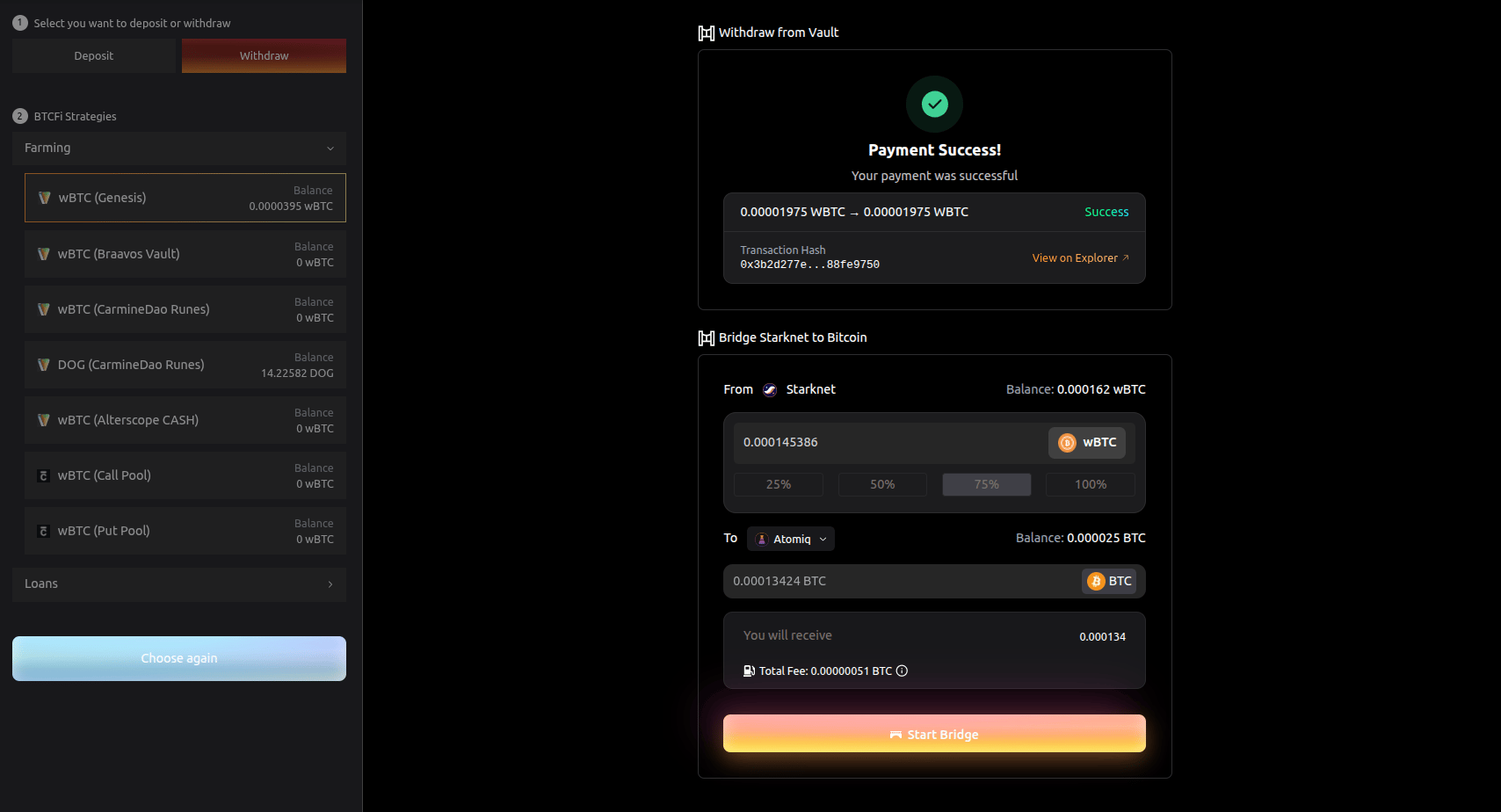 4. Choose the bridge (e.g., Atomiq) and amount, then sign again with the paymaster in **wBTC**.
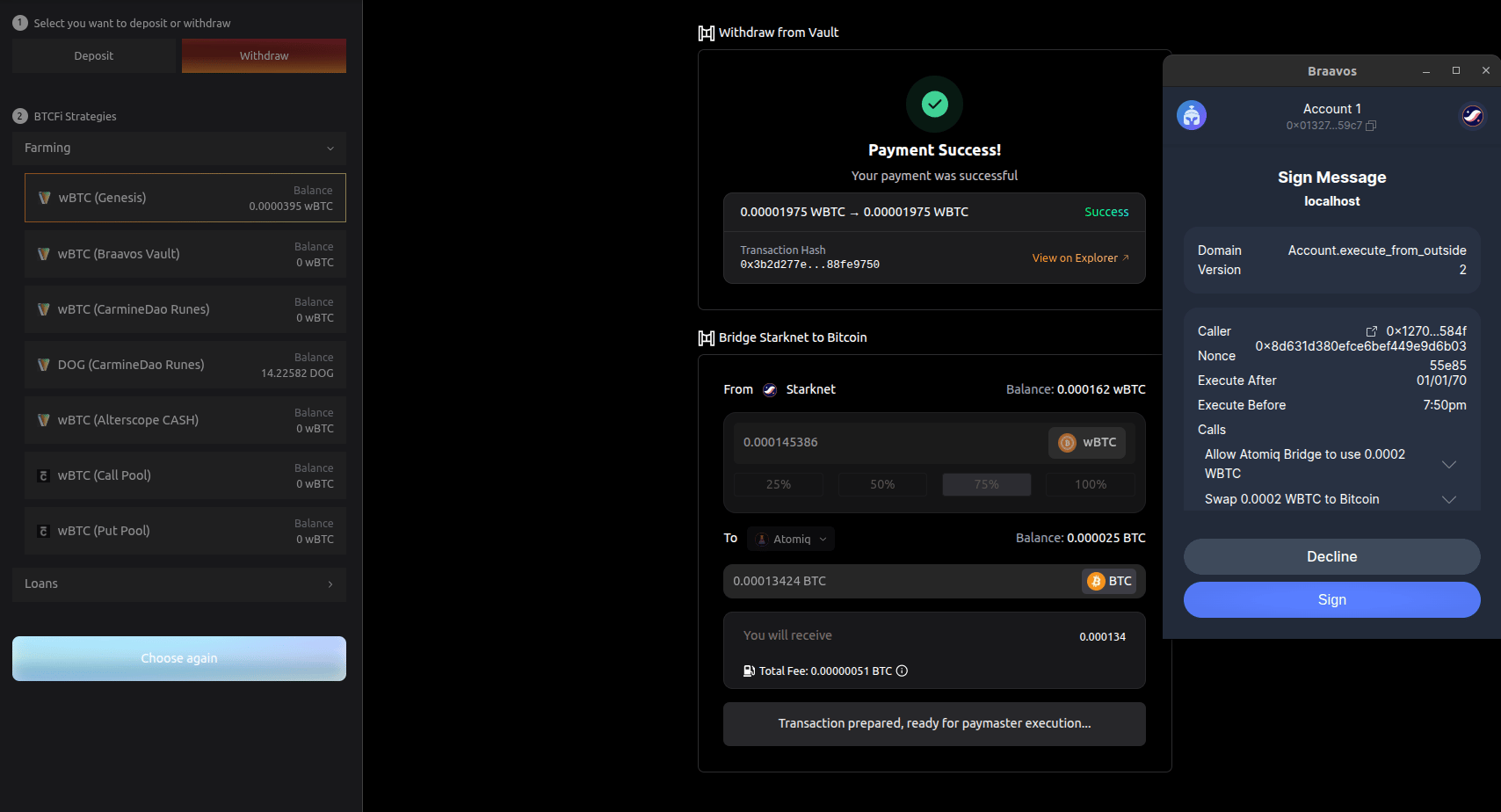 5. Start the bridge and wait for BTC confirmations (10 minutes or hours, depending on the Bitcoin network)
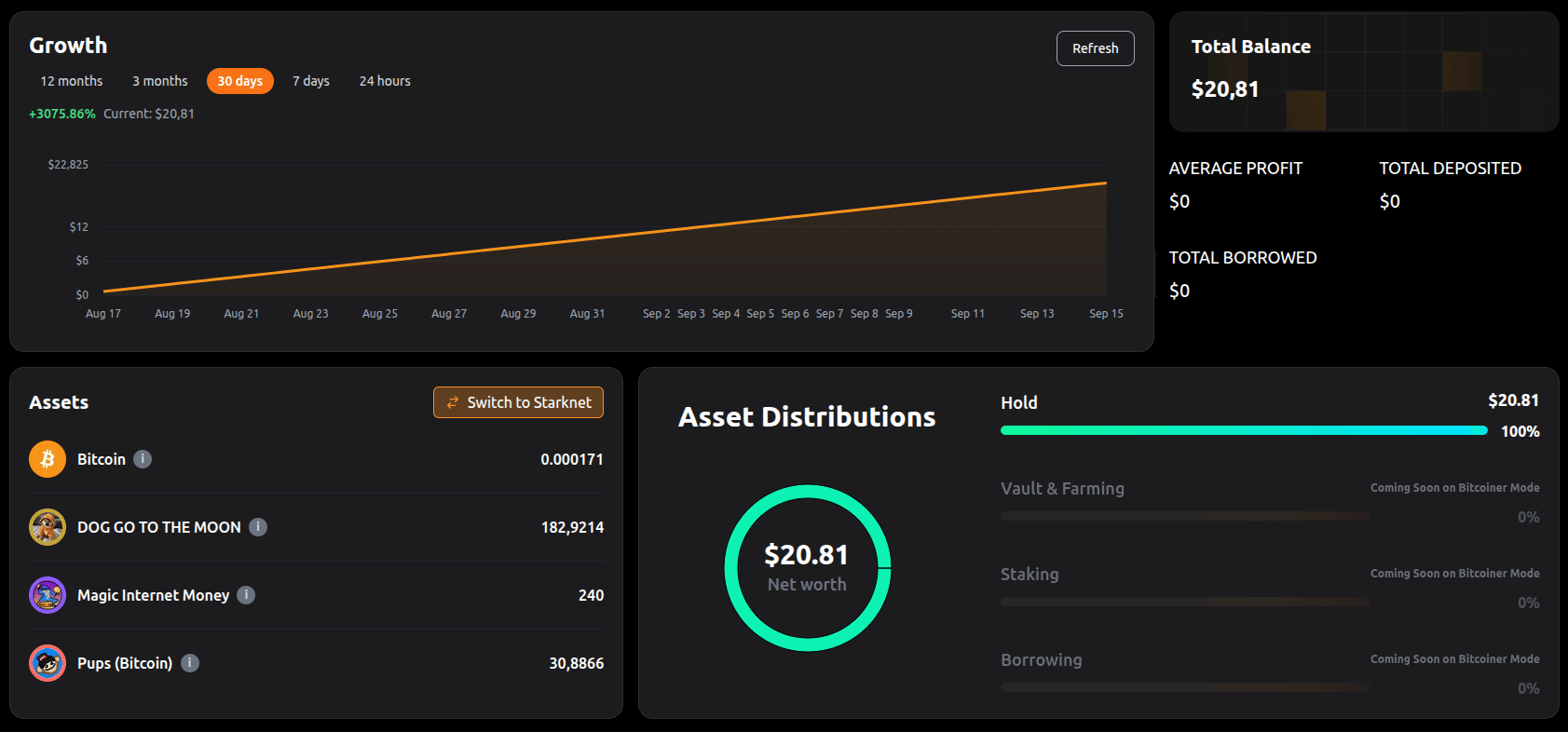
6. You can check it from your wallet provider or from your portfolio.
5. Start the bridge and wait for BTC confirmations (10 minutes or hours, depending on the Bitcoin network)
6. You can check it from your wallet provider or from your portfolio.
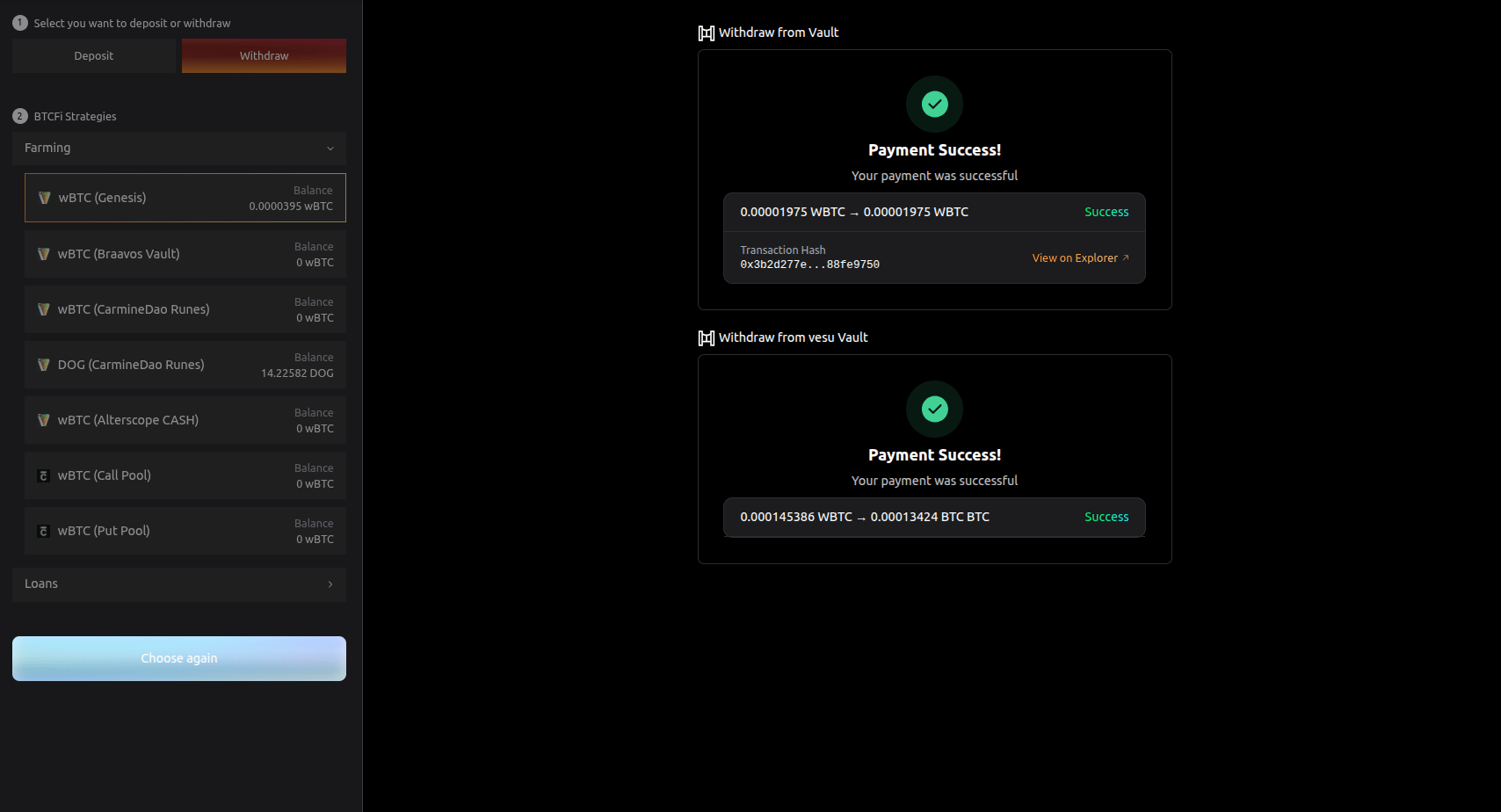 7. Done! Your assets have been transferred from your strategy to your Bitcoin wallet in 2 steps.
 > **Note:** For deposits, simply reverse the flow.
With this user experience, Brove shows how **decentralized Bitcoin finance on Starknet** can be as simple as two clicks, enabling secure cross-chain asset movement.
**Ready to put your Bitcoin to work?**\
Check out our [BTCFi Services](/user-guide/btcfi-services/brove-services) to put your portfolio to work.
> **Note:** For deposits, simply reverse the flow.
With this user experience, Brove shows how **decentralized Bitcoin finance on Starknet** can be as simple as two clicks, enabling secure cross-chain asset movement.
**Ready to put your Bitcoin to work?**\
Check out our [BTCFi Services](/user-guide/btcfi-services/brove-services) to put your portfolio to work.